
ATO Notice of Assessment (NOA)
If you are applying for Queensland nomination as an onshore skilled applicant, you must provide your ATO Notice of Assessment (NOA).
What is a Notice of Assessment?
A Notice of Assessment (NOA) is issued by the Australian Taxation Office (ATO) after your tax return has been processed.
Which amount do I enter in my ROI?
For the 2026-27 program year, you must provide your NOA for the 2025-26 financial year (1 July 2025 to 30 June 2026).
When submitting your Registration of Interest (ROI), enter the amount shown as:
"Your taxable income is"
Important: Tax returns, tax receipts, payment summaries and income statements are not accepted as substitutes for a Notice of Assessment.
How to download your NOA
Step 1
Log in to myGov or the ATO app.
Step 2
Under Tax, select Lodgement, then Income tax.
Step 3
Open History and select the relevant financial year.
Step 4
Select View details Notice of assessment to download your NOA.
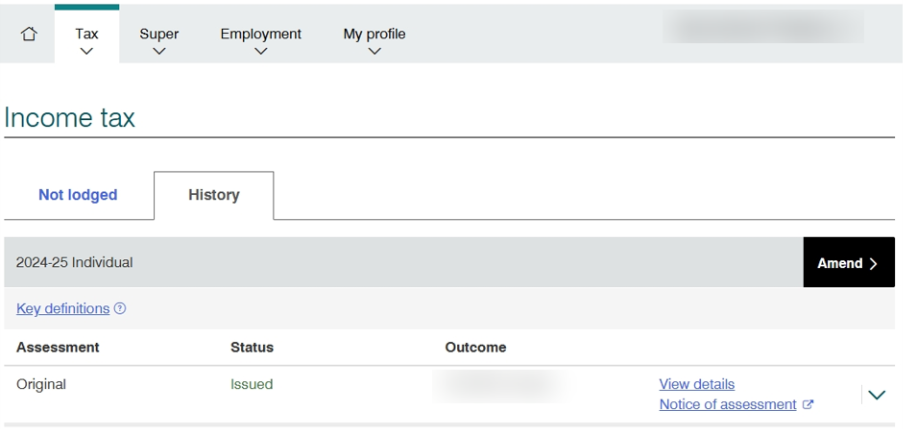
Your NOA is available under the History tab for the relevant financial year.